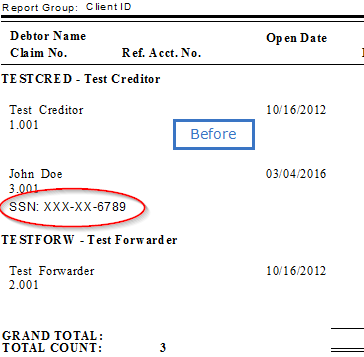
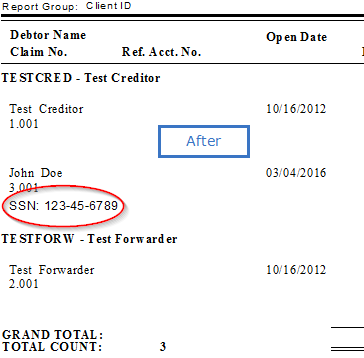
If your CollectMax system is configured to mask PII (Personally Identifying Information), you can still assign certain users capabilities to show PII on reports.
Note: By default, CollectMax is not shipped with the masking options selected.
Go to Definitions>Codes>User. Select the User you want to assign the permission to, and click Modify.

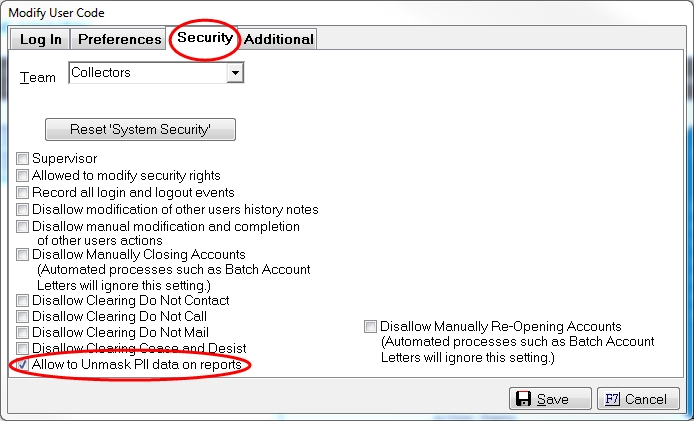
From the Security tab, check the box marked Allow to Unmask PII data on reports and click Save.
Note: If the user is currently logged into the CollectMax system, then the changes will not take effect until he/she logs out and back in.
As seen below, the option to Unmask PII Data can be checked.
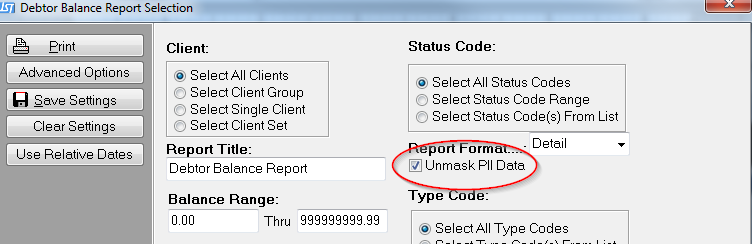
Here is a comparison of the settings: